
 Your IDX is the engine of your real estate website. It decides which listings your visitors can see, whether Google can find those listings, and whether the people searching them ever become leads. Pick the wrong one and you can end up with a beautiful website that shows half your market, ranks for nothing, and hands your traffic to someone else.
At IDXCentral.com (Moineau Design LLC), we have been building real estate websites for more than 25 years, and we were one of the first companies in the nation to develop an IDX/MLS property search. Today we build WordPress websites for agents, teams, and brokers, and we integrate several leading IDX platforms into them. This guide walks through what we look at, in the order we look at it, when we help a client choose.
What Is IDX in Real Estate? IDX vs. MLS, VOW, and Syndication
IDX stands for Internet Data Exchange. It is the system that lets MLS participants display other brokerages’ listings on their own websites, under rules set by the MLS. IDX grew out of the broker reciprocity policy created by the National Association of REALTORS®, and every MLS that participates publishes its own IDX rules.
In practice, an IDX provider licenses a data feed from your MLS, stores and normalizes it, and powers the property search on your site. When a buyer searches for a three-bedroom home in Grass Valley or a condo in Reno, the IDX is what returns the results, shows the photos, and asks them to register.
Two related terms often get confused with IDX:
- VOW (Virtual Office Website): A more restricted, registration-required website that can show data IDX may not allow, such as some sold or off-market details. It carries a broker-client relationship requirement and extra compliance obligations.
- Syndication: Pushing your own listings out to portals such as Zillow or Realtor.com. Syndication sends listings away from you; IDX brings the whole market’s listings to your site.
For most agents, teams, and brokers, IDX is the right tool. The question is which IDX.
 MLS Coverage & IDX Compliance: Does the IDX Support Your MLS?
Here is the first step in choosing the right IDX for your MLS. Coverage is the first step, and it is a pass/fail test. If an IDX provider is not an approved vendor for your MLS, nothing else about the product matters. Features, design, and price only come into play once you know the provider can legally deliver your market’s listings to your website.
Not every IDX provider covers every MLS
There are hundreds of MLSs across the U.S., Canada and Mexico, ranging from large regional systems with tens of thousands of members to small county boards with a few hundred. Each one licenses its data separately, sets its own rules, and approves vendors one at a time. As a result, provider footprints vary widely. With years in business, we have vetted these three IDX solutions as the best IDX plugins for WordPress websites and other platforms. Their MLS coverage is extensive, and they have resolved many of the common issues associated with IDX approval.
| IDX Platform | Reported coverage | What it means for you | Live demo |
|---|---|---|
| iHomefinder More than 480 MLS systems and 1,500+ associations; over 95% of MLSs in the U.S. and Canada. 25+ years in business. |
The broadest practical footprint, including many small and rural boards | View Demo |
| Showcase IDX 100+ MLS markets, including 19 of the 20 largest MLSs. 20+ years in business. |
Strong in major metros; check carefully if you are in a smaller market | View Demo |
| IDX Broker Broad national coverage (third-party reviews cite 1,500+ MLS data sets). 20+ years in business. |
Wide reach; confirm your specific board and its fees | View Demo |
Providers count coverage differently (an MLS, an association, and a “data set” are not the same unit), so treat these numbers as a starting point. The only number that matters is whether your board, and every board you need, is on the list.
Where IDX Providers Really Differ: Smaller, Resort, and International MLSs
The large metro MLSs are covered by almost everyone. The real test is the smaller boards, the resort and rural markets, and the markets outside the U.S., and that is where iHomefinder stands out as the one of the best IDX solutions for real estate websites. Its coverage reaches well beyond the big regional systems:
- Small and rural boards across all 50 states: from county associations in the Midwest and South to mountain-town boards in the West
- Resort and second-home markets: such as Telluride, Sun Valley, Jackson Hole (Teton), the Florida Keys, Cape Cod & Islands, and the Outer Banks
- Canada: including Toronto Regional Real Estate Board, Greater Vancouver REALTORS®, Victoria, Edmonton, and Calgary (Pillar 9)
- Mexico and beyond: including Baja California Sur, Vallarta-Nayarit, Mexico City (Omni MLS), and Puerto Peñasco, plus Puerto Rico, the Bahamas, and the U.S. Virgin Islands
At IDXCentral, we resell IDX to agents, teams, and brokers across the country and in parts of Canada and Mexico, so we see this difference every week. An agent who works two neighboring boards, or a broker with offices in a resort town and a nearby city, needs a provider that holds approvals for every one of those MLSs, not just the biggest one.
When you need Multiple MLSs on one website
If your business crosses MLS boundaries, ask how the provider handles more than one feed. In some regions, data-share agreements between MLSs also give members access to neighboring boards’ listings through a single membership.
Key questions:
- Can listings from two or more MLSs appear in a single, merged search, or are they separate searches?
- Are duplicate listings (the same home in two MLSs) removed?
- What does each additional MLS cost per month?
- Do regional data-share agreements give you neighboring MLS data at no extra charge?

When it comes to website design ideas, we have creative ways of including MLS searches for REALTORS that cover multiple MLSs. For example, Camille Duval visual photography links to three separate MLSs in the Lake Tahoe area.
When your MLS is not covered yet
This is where providers differ the most, and where iHomefinder has been a strong partner for our clients. Many providers only support the MLSs they already have. iHomefinder is open to building an IDX for a new MLS they don’t cover and invites agents to request coverage for boards that are not yet listed. In our experience, iHomefinder has been willing to go into a new MLS, complete the licensing and data work, and build IDX service for that area when there is demand.
If your board is not on any provider’s list, talk to us. As a reseller, we can help coordinate a coverage request with an IDX provider like iHomefinder and the MLS, and tell you realistically how long approval and data setup typically take.
Compliance: the part most agents never see
Every MLS publishes IDX display rules, and as the MLS participant, you are the one responsible if your website breaks those rules. A good IDX provider builds those rules into the product. Rules commonly cover:
- Listing attribution: displaying the listing brokerage (and sometimes the listing agent) on every listing
- Disclaimers and logos: the MLS’s required disclaimer text, copyright notice, and IDX logo or icon
- Data freshness: a minimum refresh frequency so off-market listings come down quickly
- Restricted fields and statuses: which fields, photos, sold data, and “coming soon” listings may be shown
- Seller opt-outs: listings or addresses that sellers have chosen to withhold from IDX display
- Lead and contact rules: how you may present yourself on another brokerage’s listing
The approval process matters too. Most MLSs require a signed IDX agreement from the broker and the agent before MLS data is released, and many charge setup or monthly data-access fees that are passed through on top of the provider’s price. Ask any provider:
- Are you a currently approved IDX vendor for my MLS?
- Who prepares and submits the MLS paperwork?
- What MLS fees will I pay, and how are they billed?
- How do you keep the site compliant when the MLS changes its rules?
- Which statuses (active, pending, sold, coming soon) does my MLS allow you to display?
A provider that answers these clearly and quickly is usually one that has been working with your MLS for years.
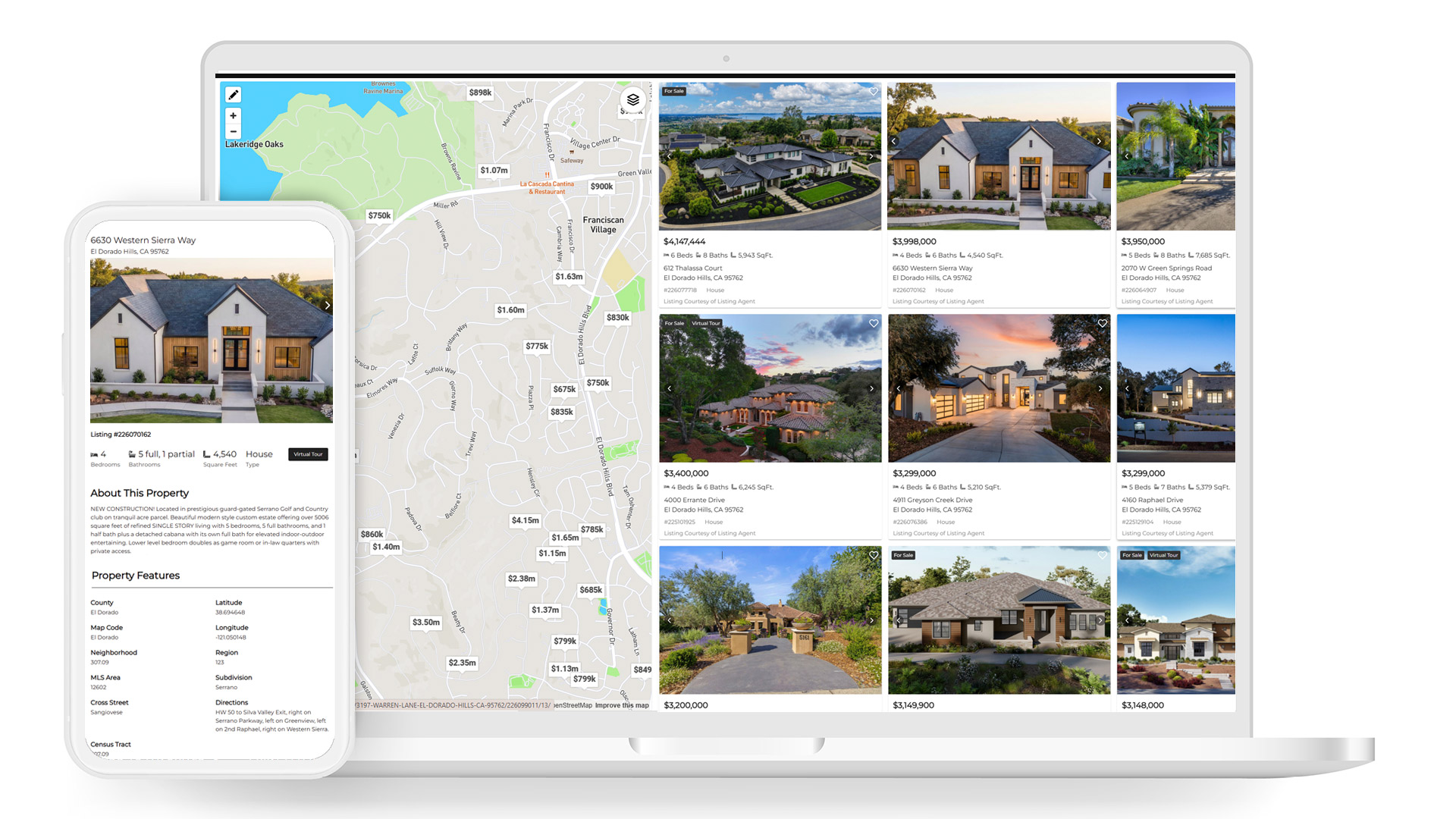
IDX SEO: Indexable IDX vs. iFrame IDX
How an IDX puts listings on your site decides whether Google gives you credit for them. There are three common approaches:
| Approach | How it works | SEO value to you |
|---|---|---|
| iFrame | Listings load inside a window from the provider’s server | Little to none; search engines credit the provider’s domain |
| Subdomain | Listings live on a provider-hosted address such as search.yoursite.com | Partial; often treated as a separate site |
| Indexable, on-domain | Listing and search pages render on your own domain, as real pages | Full; every listing and community page builds your site’s authority |
For an agent who wants organic traffic, an indexable, on-domain IDX is the clear choice. iHomefinder and Showcase IDX both place IDX pages on the agent’s own domain rather than inside an iFrame.
Beyond the basic architecture, look for:
- Community and neighborhood pages: neighborhood pages such as “Homes for sale in Nevada City,” with your own written content around them
- Clean URLs and page titles: listing addresses in the URL and title tag
- Structured data: schema markup that helps search engines understand listing details
- Page speed: fast-loading search and listing pages, especially on mobile
- Sitemaps: automatic XML sitemaps for listing pages so new inventory gets crawled quickly
Indexable listings are a foundation, not a strategy. The agents who win local search pair them with original neighborhood content that portals cannot copy.
IDX Lead Capture & CRM Integration
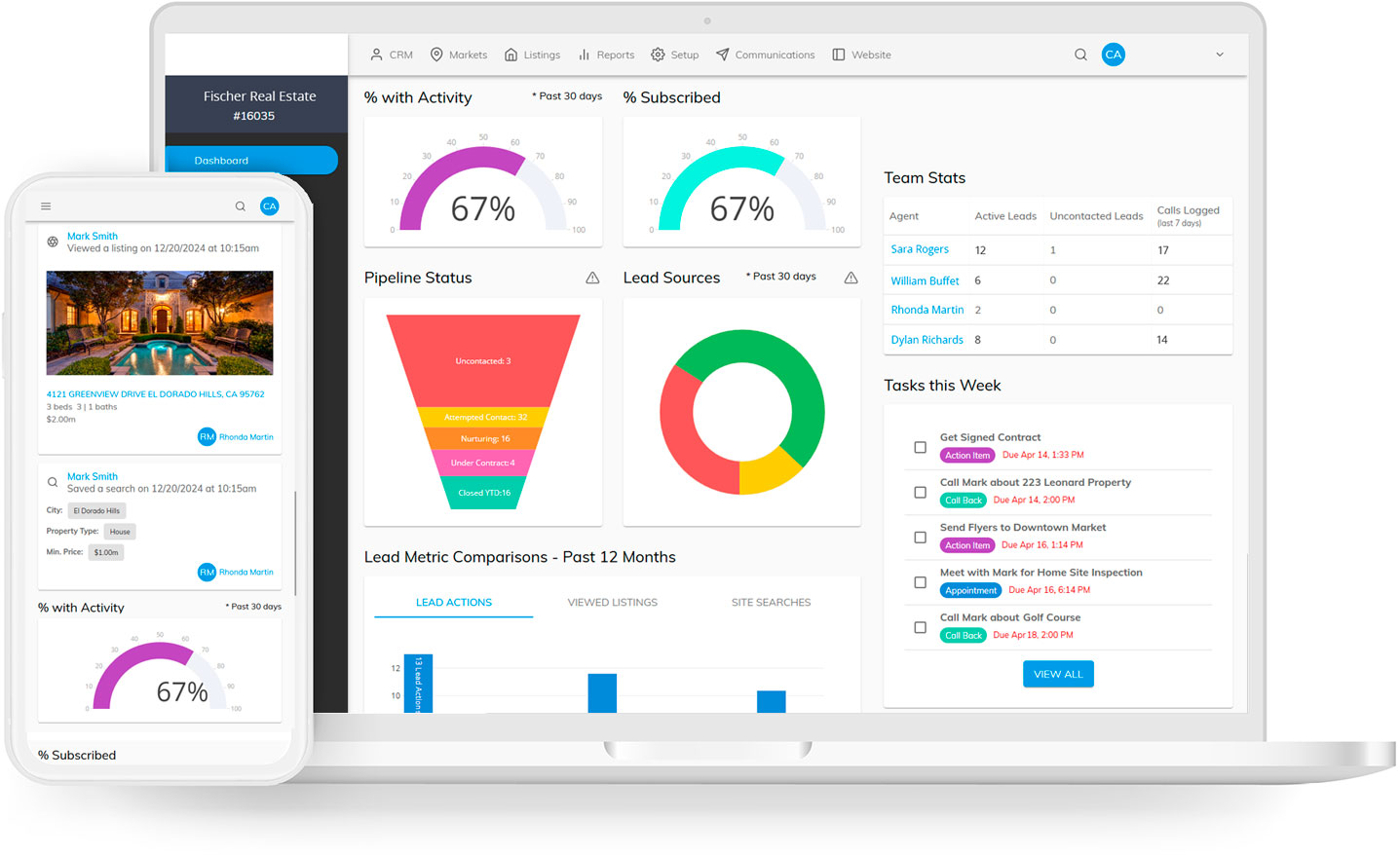
An IDX that shows listings but does not generate leads is only doing half its job. The lead tools decide whether visitors become clients or just browse and leave.
Core lead capture features to look for:
- Registration prompts: forced or soft registration after a set number of listing views, which you can adjust
- Saved searches and favorites: reasons for visitors to create an account and come back
- Automated listing alerts: email updates when new listings match a saved search
- Home valuation forms: “What’s my home worth?” pages for seller leads
- Behavior tracking: which listings a lead viewed, saved, and returned to
- Lead routing: round-robin or rule-based assignment for teams and brokerages
Built-in CRM or third-party sync?
You have two paths, and the right one depends on how you already work:
- Built-in CRM: If you do not have a CRM yet, an IDX with its own CRM keeps search activity, leads, and follow-up in one place. iHomefinder includes a CRM, with lead capture, listing alerts, and marketing automation.
- Third-party CRM sync: If your team already lives in a CRM such as Follow Up Boss, or another platform, make sure the IDX sends leads and their search activity there automatically. We can help set up a third party CRM with your IDX solution.
When evaluating a sync, ask whether it is one-way or two-way, whether search behavior (not just the contact record) comes across, and how quickly a new lead appears. A lead that takes an hour to reach your phone is a lead someone else may already be talking to.
Choosing an IDX for WordPress and Other Website Platforms
The best IDX on paper can still be the wrong choice if it fights with your website. Before committing, confirm it fits the platform you are on, or the one you plan to move to.
For WordPress sites, which is what we build at IDXCentral, look for:
- A maintained WordPress plugin: regularly updated and compatible with current WordPress versions
- Theme compatibility: IDX pages that inherit your site’s header, footer, fonts, and colors instead of looking bolted on
- Shortcodes and widgets: quick search forms, featured listings, and map searches you can drop into any page or post
- Page builder support: works cleanly with the editor or page builder your site uses
- Performance: does not slow down the rest of your site
All three IDX solutions, Showcase, iHomefinder and IDX Broker, are the best IDX plugins for Wordpress websites. Showcase IDX is built specifically as a WordPress plugin. iHomefinder offers a WordPress plugin as well as its own hosted website platform. IDX Broker is widely used on WordPress through its plugin and developer tools.
IDX Property Search, Mobile Usability & MLS Data Freshness
Your visitors compare your search to the big portals within seconds. If it feels slower or clumsier, they leave.
- Map search: draw-a-shape or polygon search, plus map and list views side by side
- Useful advanced filters: beyond beds and baths, filters that matter locally, such as acreage, views, waterfront, or horse property in rural and mountain markets
- Mobile first: most property searches happen on phones, so test the search on your own phone before you buy
- Photo quality: full-size, fast-loading galleries
- Data freshness: depending on the MLS, data freshness can be different per each IDX solution provider
- Sold and pending data: where your MLS allows it, sold listings help with market reports and seller conversations
Ideally ask for a live demo using your MLS’s, not a sample market. That is the true test to see the fields, photos, and statuses your visitors will actually see when searching for listings on your website. Explore the search functionality as a visitor would. Save searches and sign up for new listing notifications, use the map search to click an view listings. Does the map reload from scratch when you go back or does it know where you left off?
IDX Pricing, MLS Fees & Support
IDX pricing looks simple until the first invoice. Make sure you understand the full monthly cost, not just the advertised plan price.
- Plan price: usually priced by the number of agents or users
- Additional MLS fees: most providers charge extra for each MLS beyond the first
- MLS pass-through fees: setup or data-access fees your MLS charges, billed on top of the provider’s price
- Setup fees: some providers charge one-time setup; Showcase IDX advertises no setup fees
- Contract terms: month-to-month or annual, and what it costs to leave early
- Data ownership: whether you can export your leads and their history if you switch
Support is the cost nobody budgets for. When a feed stops updating on a Saturday morning or your MLS changes its rules, you need someone who answers. Ask who provides support, how to reach them, and whether they know your MLS. This is one place where working with a local reseller pays off: you have a team that knows both the IDX platform and your website.

Why Work with an Experienced IDX Partner: Our Story
IDXCentral.com, a division of Moineau Design LLC, has been in business over 30 years with expertise in IDX and website development for real estate professionals. We were one of the first companies in the nation to develop an IDX/MLS property search, back when putting live MLS listings on an agent’s website was a brand-new idea.
We built our own IDX solution covering Central and Northern California and Northern Nevada. That work taught us the parts of IDX most agents never see: negotiating data agreements with MLSs, normalizing messy listing data, meeting display rules board by board, and keeping feeds running day after day. We’ve worked for MLS boards developing their board websites and have great partnerships with clients all over the U.S.
We are a reseller of several leading IDX platforms, including iHomefinder (our preferred IDX), Showcase IDX, and IDX Broker, and we integrate them into the WordPress websites we build for agents, teams, and brokers. We can recommend the IDX that fits your MLS, your market, and the way you work. And because we have built an IDX solution ourselves, we know which questions to ask before you sign up.
Call 888-577-8027 or contact us
Common Mistakes Agents Make When Choosing an IDX Provider
After more than 25 years of setting up IDX for agents, teams, and brokers, we see the same missteps again and again. Most are easy to avoid up front and expensive to fix once your website is live.
- Comparing features before confirming MLS coverage. A polished demo means nothing if the provider is not approved for your board, or for the neighboring MLS you will need next year. Confirm coverage first, then compare everything else.
- Choosing on price alone. A low monthly fee is no bargain if your listing pages never show up in Google or visitors leave without registering. Weigh the full cost, including MLS fees, against the leads the IDX actually produces.
- Settling for an iFrame IDX. iFrame setups give the search credit for your listings to someone else’s domain. Ask how listing pages are indexed before you sign, not after your traffic stalls.
- Leaving new leads with nowhere to go. A registration that sits in an inbox goes cold fast. Make sure every lead lands in a CRM, sends you an instant alert, and starts automated follow-up, whether through the IDX’s built-in CRM or the one you already use.
- Buying only for today’s business. Adding a team member, a second office, or another MLS can quickly outgrow a basic plan. Switching providers later means new MLS paperwork, rebuilt search pages, and a disrupted experience for clients with saved searches, so choose a platform with lead routing, multi-agent accounts, and multi-MLS support you can grow into.
- Skipping a hands-on demo. Sample markets hide the details that matter. Try the search yourself before you decide: see our live demos for iHomefinder, Showcase IDX, and IDX Broker, then ask to see your own MLS’s data.
Questions to Ask Before You Choose an IDX Provider
Use this checklist when you compare providers:
- Are you an approved IDX vendor for every MLS I belong to?
- If my MLS is not covered, will you add it, and how long would that take?
- Can I show multiple MLSs in one merged search, and what does each extra MLS cost?
- Are listing pages indexable on my own domain, or delivered by iFrame or subdomain?
- How often does my MLS’s data refresh on your platform?
- Do you include a CRM, and do you sync with the CRM I already use?
- Does your product work with my website platform and theme?
- What MLS pass-through fees, setup fees, and contract terms apply?
- Can I export my leads if I leave?
- Who do I call for support, and do they know my MLS?
IDX & MLS FAQs
Can I use more than one MLS on my website?
Yes, if your IDX provider is approved for each MLS and you are a member of each. Some providers charge an additional monthly fee per extra MLS. Your broker also needs to be a member of the same MLS.
Is IDX free with my MLS membership?
MLS membership gives you the right to participate in IDX, but you still need a provider to power the search. There may be data usage fees from your MLS, but MLS varies on whether they have a fee. Reach out to us for a quote for your MLS and we can let you know if ther
What if my MLS is not supported by any IDX provider?
Contact us and we will help find an IDX provider willing to build and IDX search for your MLS. iHomefinder invites coverage requests for boards it does not yet serve, and we can help coordinate that request. Just reach out and contact us.
Will an IDX help my website rank in Google?
An indexable, on-domain IDX can, especially when paired with original neighborhood pages is designed to get listings on your site indexed. Where an iFrame IDX will do very little for your rankings.
How long does IDX setup take?
On average it can takes 2 to 6 business days, but most of that time is spent waiting on MLS board approval of your IDX paperwork. Once you are approved, setup on a WordPress site is typically quick.
Find the Right IDX for Your MLS
Choosing an IDX starts with one question: does it cover your MLS? From there, it is about SEO, leads, and a website that works the way you do. With more than 25 years in real estate technology and hands-on experience building our own IDX, the team at IDXCentral.com can help you pick the right platform and build a WordPress website around it. Contact us to check coverage for your MLS.
Contact Us!
View Our Portfolio