
You passed your licensing exam, signed on with a broker, and then someone told you that you need an agent website with “an IDX” to start laying the foundation for your online marketing. You nodded along, Googled it, and immediately felt more confused than before.
Terms like IDX, MLS feed, and data agreement sound like a different language, and figuring out where to even start can feel overwhelming. Good news: it’s a lot simpler than it sounds once someone walks you through it in plain English. Consider this your beginner’s walkthrough of exactly what a newly licensed agent needs to know — no jargon, no assumptions that you already speak the lingo.
It’s worth pairing this with our Ultimate Guide to Real Estate Websites for New Agents — that covers the bigger picture.
What IDX is and why it matters for a newly licensed agent
The Plain-English Version of IDX
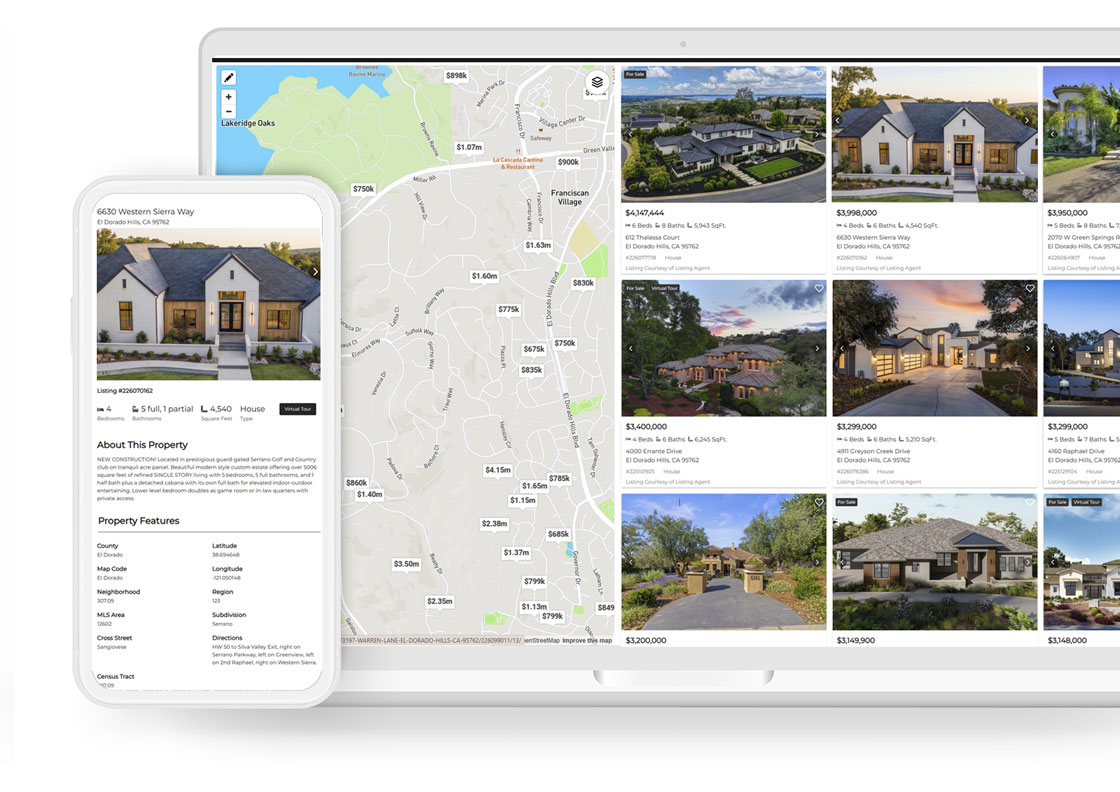
IDX (Internet Data Exchange) is what lets you pull active Multiple Listing Service data directly onto your own website, so you’ve got a live property search tool working around the clock. Visitors search homes, save favorite listings, receive new listing email notifications, and trigger lead capture, all without you lifting a finger in the moment. The data comes from your local MLS, and not every IDX provider connects to every MLS board. But before we get into providers, let’s make sure you’re actually sold on why having an IDX matters in the first place.
Why do Realtors need an IDX solution?
Research shows that 80% of website visitors are searching for MLS listings. To display up-to-date Multiple Listing Service data on their website, Realtors need an IDX (Internet Data Exchange) solution. Without one, potential clients are just one click away from an agent whose site delivers what they’re looking for. IDX isn’t an optional add-on — it’s the foundation of a website that actively drives business, rather than one that simply exists.
We cover this in full in 10 Key Benefits of Using IDX for Real Estate Websites, but here’s a short list of a several key reasons:
1. Leads come to you — not your broker. Your own IDX means the relationship stays yours, even if you change brokerages later.
2. The experience feels premium. Map search, filters, and saved searches make your site feel as good as the big portals.
3. You can target your niche. Luxury, lakefront, ski resort — polygon and neighborhood search let you own a specific market.
4. Leads collect themselves. New listing alerts, saved searches, and market report sign-ups turn browsers into contacts automatically.
5. You can spotlight your own listings. A featured listings tool gives you a real pitch when you’re trying to win a seller.
6. It builds instant credibility. A polished, functional site signals you’re a professional who’s invested in the client experience.
Bottom line: IDX isn’t just a technical box to check for MLS compliance — it’s one of the highest-leverage things you can do for your business as a new agent. Once you’re convinced, the next question is getting the compliance and setup right.
Why Your Broker’s Website Isn’t Enough
A lot of newly licensed agents figure being listed on the brokerage site covers their online presence. It doesn’t. That site builds the broker’s brand, not yours — you can’t customize it, you don’t own it, and if you ever change brokerages, you leave it behind entirely.
A website you own is a real business asset. It grows with your reputation and sends leads straight to you, not through someone else’s funnel. We explain this deeper in our article Realtor Website Ownership Critical for Long Term Success. It’s also worth steering clear of proprietary website platforms like AgentFire, iHouse, and Luxury Presence. Much like the options above, these companies retain ownership of your website — you’re simply leasing it.
MLS compliance for the newly licensed agent: what you need in place first
Broker Sponsorship, MLS Membership, and the Order it Happens In
Before any IDX feed can go live, there’s a sequence that has to happen in order — there’s no way to shortcut this, since your broker signs the MLS data agreement and you access the feed as an agent under their participation:
1. Get your license active. This is the starting point everything else depends on.
2. Join a sponsoring brokerage that participates in your local MLS. Not every brokerage is enrolled in every board, so confirm this before you sign on.
3. Apply for MLS membership in your own name. This often includes local REALTOR® board membership and a required orientation. Approval typically takes a few business days to a couple of weeks, depending on your board.
4. Sign up with an IDX provider approved for your area. Once your MLS membership clears, the IDX provider you choose will get you approved by your MLS. This is also the step where it pays to have help — as a reseller of iHomefinder, Showcase IDX, and IDX Broker, we already know which providers are approved for which MLS boards. We set the approval process in motion and work with the IDX provider to get ready for your website. Contact us to help get you set up with IDX.
 How to Pick the Right IDX Provider for Your Website
Psst, We Can Assist You in This Process
Not every IDX solution provider covers every MLS board, and the platform you choose will shape how much lead capture, automation, and design flexibility you actually get. If you’ve already got a website — through a builder, or something you set up yourself — the good news is most established IDX solutions are built to plug in. As an authorized reseller of several major IDX providers, we’re here to help with all of your IDX sales and support needs.
Here are three IDX providers that consistently come up for newly licensed agents:

iHomefinder
iHomefinder Demo
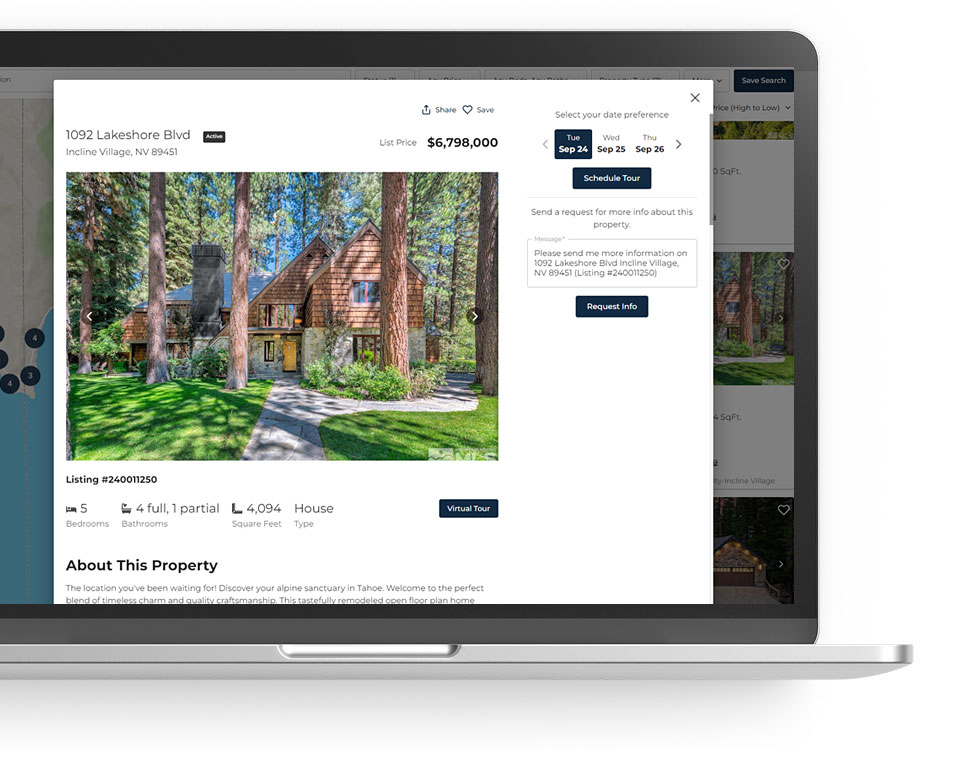
This is our go-to recommendation, and for good reason. Its IDX platform gives you a map-based search experience that feels a lot like Zillow, plus built-in lead automation, text and email follow-up, and a mobile app so you can respond to client activity on the go. iHomefinder’s built-in CRM tools make it easy to track and nurture your leads every step of the way. iHomefinder consistently advances their IDX solution, ensuring you always have access to one of the most cutting-edge tools on the market. Learn more about iHomefinder IDX.
iHomefinder pricing $160 a month. Special discounted pricing.
We can help with sales and support!

Showcase IDX
Showcase IDX Demo
Showcase IDX is one of the leading IDX plugin for WordPress, built to help agents capture more leads and stand out with a best-in-class property search experience. Its core selling points are strong SEO through server prerendering (no iframes or subdomains hiding your listings from Google), broad MLS coverage across 500+ feeds, and a mobile-first search and CRM experience designed to convert visitors into clients.
Showcase IDX pricing starts at $94.95 a month for the Essentials and $124.95 a month for Premium.
Essentials at $94.95 a month : Lead capture tools, an integrated CRM, SEO-friendly URLs and indexable listings, and polygon map search.
Premium at $124.95 a month : Up to five total agent/admin seats, contextual property data, optional required user registration before viewing listings, and advanced lead-routing controls. It also supports integrations with third-party CRMs and adds SEO benefits through indexable XML sitemaps.
We can help with sales and support!
IDX Sales and Support
 IDX Broker
IDX Broker Demo
IDX Broker is best known for its high level of customization, developer-friendliness, and SEO indexing capabilities for real estate websites. They offer two IDX solution packages and pricing depending on the features you choose.
IDXBroker pricing starts at $60 per month for Core and $99 per month for Engage.
Individual Agent Pricing. An MLS Data Management Fee may apply.
Core at $60 a month : Includes essential MLS home searches, lead capture tools, interactive maps, and basic widgets. No sold data.
Engage at $99 a month : Adds advanced market reports, sold listing data, AI Smart Search, and behavioral tracking emails.
We can help with sales and support!
What IDX Setup Actually Looks Like, Step by Step
Once your MLS approval is in place and you’ve chosen a provider, connecting IDX to an existing site comes down to a handful of steps.
Here’s what that actually looks like:
1. Confirm MLS approval is finalized. Don’t start on the technical side until your provider has confirmed your feed is active — installing a plugin before that just means staring at an empty search page.
2. Get your API key or account credentials from your provider. This is what links your website to your MLS data behind the scenes.
3. Install the IDX plugin or embed code on your site. On WordPress, this means installing your provider’s plugin from your dashboard. On a builder like Wix or Squarespace, it usually means dropping in an iframe or embed code your provider supplies.
4. Connect the plugin using your API key. This is the step that actually pulls live listings into your site.
5. Build out your search and lead capture pages. Set up your main property search, a map search if your provider offers one, and the forms that turn visitors into leads — saved searches, listing alerts, market report sign-ups.
6. Test the display against MLS compliance rules. Before you call it done, check that your brokerage name, listing attribution, and consumer-use disclaimer are all showing, and that nothing prohibited (seller contact info, showing instructions, expired listings) is slipping through.
Have questions? Contact us for assistance with IDX sales and support setup!
The WordPress Path Versus Wix and Squarespace
On WordPress, the technical piece typically takes one to three hours once your MLS approval is confirmed, That’s also the platform where you get the most control: full design flexibility, deeper lead capture customization, and the ability to migrate your site later if you ever need to. We cover why that matters long-term in Why WordPress Real Estate Websites are Ranked #1 CMS for REALTORS.
If your site is on a builder like Wix or Squarespace, the embed route will get you live faster, but you’ll trade away some customization control. Most agents embed their IDX search tool using an iframe or code block that the provider supplies. The tradeoff is real: you get a faster launch, but you lose design flexibility, deeper lead capture customization, and the ability to truly own and migrate your site later. WordPress is the stronger long-term choice for any agent who plans to grow their digital presence seriously.
Mistakes New Agents Make with IDX and How to Avoid Them
Lacking lead capture. A search tool with nowhere for visitors to leave their info is just a dead end. Saved-searches, market report sign-ups, schedule a showing, contact forms, and CRM features should be part of day one, not something bolted on later.
Building on a site you don’t actually own. Some brokerages and budget website builders offer “IDX,” but the catch is that the account, domain, or site itself remains tied to the brokerage or platform — not you. If you ever leave that brokerage or decide to switch providers, you’ll have to walk away from everything you’ve built.
Choosing on price alone and ending up with a weak product. The cheapest IDX plugin on the market often cuts corners on features and a great user experience. They may not be investing on their product so your IDX doesn’t advance with the times.
Buying more system than you’re ready for. On the flip side of the cheap-plugin trap, some new agents get upsold into all-in-one platforms built for teams — priced well beyond what a solo agent starting out needs. Look for a provider with a right-sized starter tier that can grow with you later.
The Bottom Line
Whether you’re a newly licensed agent plugging IDX into a site you already have or starting from nothing, the core steps stay the same: confirm your broker and MLS membership are in order, pick a provider that’s actually approved for your board, and build lead capture in from the start rather than adding it later. None of it requires deep technical knowledge — it just requires asking the right questions before you sign anything.
Have questions about matching an IDX solution to your current site, or starting fresh? Contact us — we’re happy to point you in the right direction, no pressure.
Let’s Work Together
Need an IDX Solution for Your Website?
Reading through all of that, you might be thinking: that’s a lot of steps for someone who just wants to focus on selling homes. Fair. That’s exactly why most of our clients don’t do this themselves. Whether you’re looking for a standalone IDX solution, we’ve got you covered every step of the way — from sales and IDX approval right through to setup and ongoing support. So you can focus on what you do best: real estate.
Hassle Free New Agent Websites with IDX
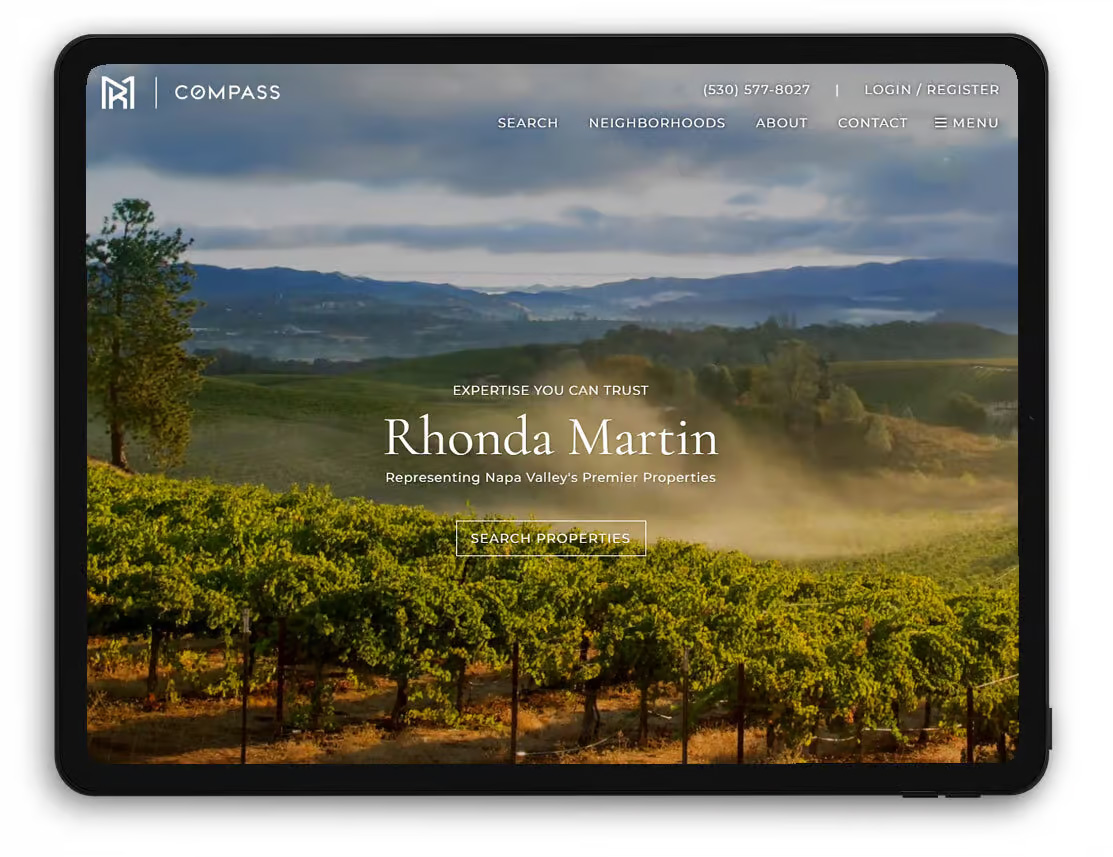
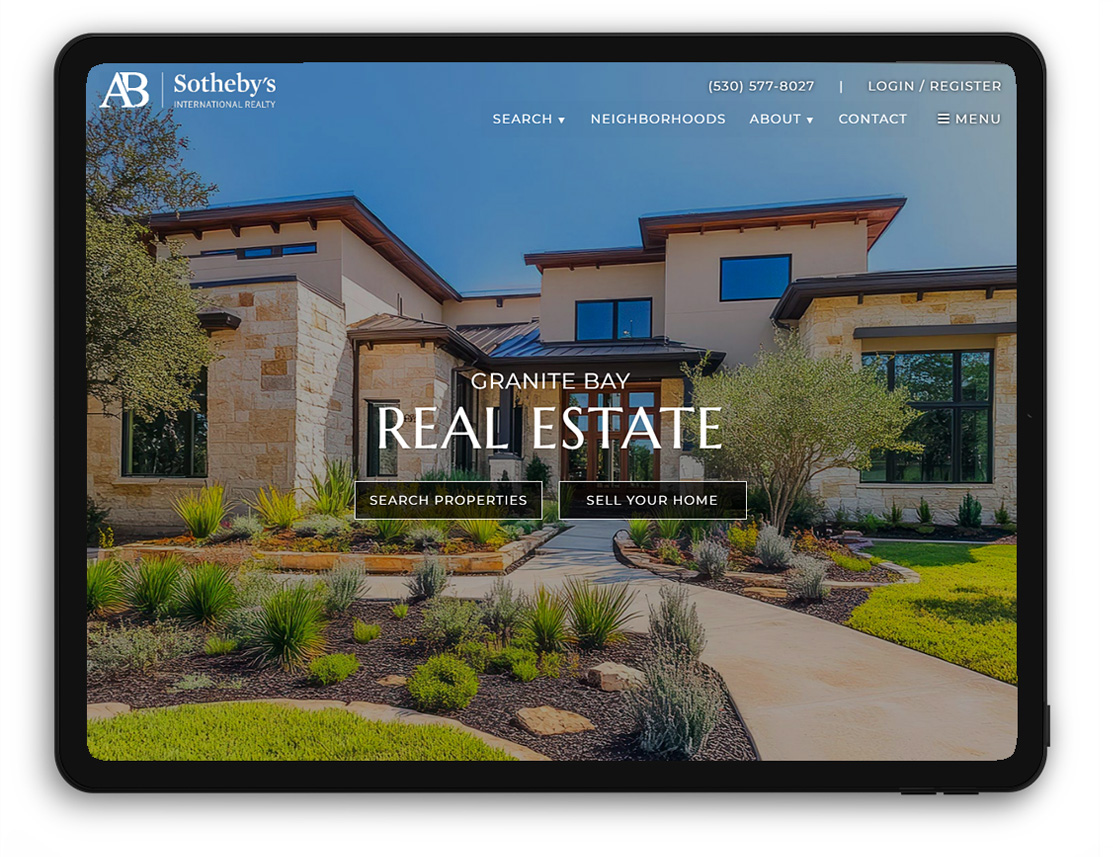
Are you a new agent in need of a professional website with IDX integration, and don’t want to do all the heavy lifting? We’ve got you covered! We offer a website called Essentials which is perfect for new agents, or consider our more feature-rich website design called Napa:
Essentials Website
Napa Website
When you work with us you get our 30+ years of experience developing websites for real estate professionals. Other important
- You own the site. It’s built on real WordPress, not a rented template or a locked-down builder. If you switch brokerages, the site — and the leads it generates — comes with you.
- Upgrade your website and save. Start with our Essentials design and when the time is right, upgrade to our Napa design. We offer a discount setup when upgrading.
- You get a small team, not a call center. When something needs attention — a compliance update, a plugin issue, a new feature — you’re talking to people who already know your site.
- You get IDX features actually put to use. Featured listings, neighborhood pages, automated market reports and email notifications, — the kind of add-ons that separate a site that just displays listings from one that’s genuinely working to generate business.
Frequently Asked Questions
1. What is an IDX provider?
An IDX (Internet Data Exchange) provider is a service that allows real estate agents to display live MLS listings directly on their own website. It connects your site to your local MLS database, pulling in current property data so visitors can search listings without leaving your page.
2. What does an IDX provider actually do for real estate agents?
An IDX provider syncs your website with MLS listing data, giving visitors real-time search functionality directly on your site. This keeps potential clients engaged longer, builds your brand instead of sending traffic to Zillow or Realtor.com, and helps capture leads through saved searches and property alerts.
3. How much does an IDX provider cost?
IDX provider pricing typically ranges from $30 to $100+ per month, depending on features like lead capture tools, customization options, and integrations. Some providers charge setup fees, while others bundle IDX with a full website builder. Costs vary based on your MLS and chosen platform.
4. Is IDX the same as MLS?
No, IDX and MLS are not the same. The MLS (Multiple Listing Service) is the database where listings are stored and shared among member agents. IDX is the technology that allows that MLS data to be displayed on individual agent or brokerage websites.
5. Do I need an IDX provider if I already have a website?
Yes, most websites need a separate IDX provider to display live MLS listings, since standard website builders don’t include this functionality. Adding IDX turns a basic agent, team and broker website into a lead-generating tool by letting visitors search real listings instead of being redirected elsewhere.
6. How long does it take to set ip IDX on my website?
IDX setup typically takes anywhere from a few hours to a few days, depending on your website platform and MLS approval process. The MLS approval process alone can take several business days, so it’s best to start that step early before implementing the technical integration. We can help you through the process.
7. Which IDX provider is best for WordPress?
For WordPress, popular IDX providers include IDX Broker, iHomefinder, and Realtyna, each offering plugins built specifically for WordPress integration. The best choice depends on your budget, desired customization level, and whether you need advanced lead-generation or CRM features included.
8. Is IDX legal? Do I need MLS approval to use it?
Yes, IDX is legal, but you must obtain approval from your local MLS before displaying listings on your website. Each MLS has its own set of IDX rules and agreements that agents are required to sign. In most cases, your IDX provider will initiate the approval process with your MLS on your behalf, as they are the ones supplying the IDX feed. Bear in mind that your provider may also need to be an approved IDX vendor with your MLS.
9. What’s the difference between IDX and VOW (Virtual Office Website)?
IDX displays active listings publicly to any website visitor, while a VOW (Virtual Office Website) requires visitor registration and can show additional data, like pending or sold listings. VOWs offer more detailed information but come with stricter MLS compliance requirements.